


SharePoint & Microsoft 365
SharePoint & Microsoft 365 Knowledge Center
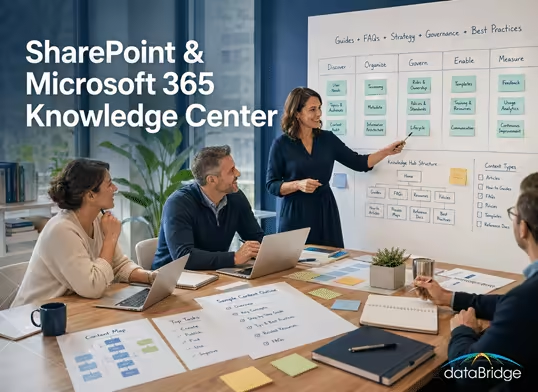
The dataBridge Resources hub brings together SharePoint and Microsoft 365 guides, FAQs, webinars, articles, and practical insights that help organizations make better decisions about governance, architecture, migrations, intranets, adoption, and Copilot readiness. It is designed to support both learning and next-step exploration.
Trusted by Fortune 500s, universities, government and non-profits





















A good resource hub should help users find the right content quickly without forcing them to guess where to start. This page organizes dataBridge knowledge assets so visitors can move from questions to answers to practical next steps across the SharePoint and Microsoft 365 landscape.
Find a SharePoint Resource
Search the dataBridge resource library for SharePoint governance, migrations, Copilot readiness, intranets, permissions, planning tools, worksheets, checklists, and case studies.
Popular Searches
Copilot readiness Permission review checklist SharePoint migration checklist
Governance maturity scorecard File share migration Sensitivity labels
External sharing Intranet redesign Search governance Document management
This page is an educational resource hub, not a consulting services page. Use it to find guides, articles, FAQs, webinars, and practical planning resources. For the commercial overview of how dataBridge helps organizations, start with SharePoint Consulting Services. For the full solution portfolio, use SharePoint & Microsoft 365 Consulting Solutions.
The dataBridge Knowledge Center exists to help organizations address these challenges.
Here you will find practical guidance on designing structured SharePoint and Microsoft 365 environments that support governance, usability, and long-term scalability. These resources reflect the same architectural principles we apply during our consulting engagements, including information architecture design, governance frameworks, migration strategy, and collaboration platform alignment.
Whether your organization is modernizing an intranet, planning a migration, strengthening governance, improving document management, or preparing for Copilot, the resources below provide a starting point for building a more sustainable Microsoft 365 environment.
Start with the featured guides if you want foundational planning resources. Use the topic areas below when you already know which part of SharePoint or Microsoft 365 needs attention.
How This Page Fits With Related dataBridge Resources
This page is the primary dataBridge resource hub for SharePoint and Microsoft 365 learning. It brings together guides, articles, FAQs, webinars, authority centers, and practical planning resources so organizations can find the right starting point for governance, architecture, migrations, intranets, document management, adoption, and Copilot readiness.
Use the related resources this way:
- Use the SharePoint AI Readiness Center when the main issue is preparing SharePoint for Copilot, SharePoint agents, trusted retrieval, permissions review, metadata quality, lifecycle governance, and source authority.
- Use the SharePoint Governance Center when the main issue is ownership, permissions, provisioning, lifecycle controls, external sharing, records, search governance, page governance, or governance maturity.
- Use the SharePoint Document Management System page when the main issue is organizing, governing, securing, retaining, and finding business documents across Microsoft 365.
- Use the SharePoint Intranet Center when the main issue is employee communication, navigation, page ownership, content quality, search, adoption, or intranet redesign.
- Use the SharePoint Migration Guide
- when the main issue is moving content from file shares, legacy SharePoint, network drives, or disconnected repositories into a cleaner SharePoint Online environment.
- Use SharePoint Consulting Services when you want the broader commercial overview of how dataBridge helps organizations plan, structure, govern, migrate, modernize, and support SharePoint.
Together, these pages separate the broad Knowledge Center from the specific authority centers, service pages, assessments, frameworks, checklists, and supporting articles that help organizations make better SharePoint and Microsoft 365 decisions.
Featured Guides: Start Here
If you’re not sure where to begin, start with these foundational resources. They reflect how dataBridge approaches Microsoft 365 success: structure first, governance built in, and modernization planned for long-term sustainability.
If you are not sure where to begin, start with these foundational resources. They reflect how dataBridge approaches Microsoft 365 success: structure first, governance built in, and modernization planned for long-term sustainability.
These guides cover the decisions that shape the rest of a SharePoint and Microsoft 365 environment, including governance, metadata, permissions, migration planning, information architecture, and Copilot readiness.
When governance is the main concern, use the SharePoint Governance Center as the curated map for dataBridge governance guides, frameworks, maturity models, permissions, lifecycle, records, search, external sharing, and Copilot readiness resources.
For a more experience-based perspective on the patterns behind those decisions, read What 20+ Years of SharePoint Consulting Actually Teaches You, which distills the practical lessons that repeatedly shape successful SharePoint environments.
Featured Guides
- The Complete Guide to SharePoint Governance for Microsoft 365
A foundational guide for ownership, permissions, lifecycle, governance standards, and Microsoft 365 collaboration control. - SharePoint Document Management System
A guide to building a structured document management environment with libraries, metadata, permissions, search, lifecycle control, records alignment, and adoption. - The Complete Guide to SharePoint Metadata Strategy
A guide to metadata, content types, taxonomy, classification, search, governance, and scalable information architecture. - The Complete Guide to SharePoint Permissions
A practical guide to designing SharePoint permission structures that balance secure access with effective collaboration. - The Complete Guide to SharePoint Online Migrations
A practical guide to planning migrations as transformation, not just file movement. - Copilot Readiness for SharePoint
A readiness guide focused on the foundation Copilot depends on: permission clarity, metadata quality, governance alignment, source trust, and content quality. - Copilot Readiness Checklist for SharePoint
A practical worksheet for reviewing SharePoint permissions, content quality, source authority, metadata, search, lifecycle, and ownership before Microsoft 365 Copilot rollout. - SharePoint Information Architecture & Metadata Consulting
Guidance on designing sites, libraries, hubs, metadata, and content models so information is easier to find, govern, and trust.
If you want help applying these principles to your environment, explore our SharePoint Consulting Services.
SharePoint Planning Tools and Assessment Resources
Use the SharePoint Planning Tools and Assessment Resources hub when your team needs practical worksheets, scorecards, checklists, and readiness resources. It brings together dataBridge tools for governance maturity, Copilot readiness, permission review, migration planning, post-migration validation, intranet redesign, and SharePoint AI readiness.
These tools help teams move from learning to action. Use them when you need to assess the current state, identify risk, prioritize cleanup, or prepare for a larger SharePoint governance, migration, intranet, or Copilot readiness initiative.
Explore dataBridge Authority Centers
Use these authority centers when you want a complete view of a major SharePoint planning area. Each center organizes the key guides, service pages, checklists, frameworks, and supporting articles around a specific business problem.
SharePoint AI Readiness Center
The SharePoint AI Readiness Center organizes dataBridge resources for preparing SharePoint for Microsoft 365 Copilot, SharePoint agents, trusted retrieval, permissions review, metadata quality, content lifecycle, search governance, and source-of-truth planning.
Start here when your organization is evaluating Copilot, designing SharePoint agents, reviewing oversharing risk, or trying to improve the SharePoint foundation AI depends on.
SharePoint Governance Center
The SharePoint Governance Center organizes resources for ownership, permissions, provisioning, lifecycle controls, external sharing, records, search governance, content standards, and governance maturity.
Start here when your organization needs a clearer operating model for keeping SharePoint structured, secure, scalable, and trusted over time.
Use the SharePoint Governance Maturity Scorecard when your team wants a practical worksheet for scoring governance maturity instead of only reading about governance strategy.
SharePoint Document Management Resources
The SharePoint Document Management System guide brings together resources for document libraries, metadata, taxonomy, permissions, records, retention, document control, search, and Copilot-ready content structure.
Start here when the main issue is organizing, governing, securing, and finding business documents across Microsoft 365.
SharePoint Intranet Resources
The SharePoint intranet resources help organizations plan, assess, redesign, govern, launch, and sustain intranets that employees can trust and use.
Start here when the main issue is employee communication, navigation, page ownership, content quality, adoption, or intranet redesign.
SharePoint Migration Resources
The SharePoint migration resources help organizations plan migrations as architecture and governance projects, not just file transfers.
Start here when your organization needs to move content from file shares, legacy SharePoint, network drives, or disconnected repositories into a cleaner Microsoft 365 environment.
SharePoint & Microsoft 365 Architecture Learning Path
Many organizations try to solve Microsoft 365 challenges one problem at a time—governance, migrations, Teams sprawl, Copilot readiness, or intranet design.
However, successful environments are not built through isolated decisions. They emerge from intentional architecture.
To help organizations understand how these disciplines connect, we organize our knowledge resources into a practical learning path. Each stage builds on the one before it.

A structured learning path for building a successful SharePoint and Microsoft 365 environment—from discovery and architecture design through implementation, governance, and long-term optimization.
Stage 1: Assess and Prioritize
Start here when you are still trying to understand the current environment, risks, and next steps.
Recommended resources:
Stage 2: Design the Structure
Start here when the priority is information architecture, metadata, governance, permissions, or document management.
Recommended resources:
Stage 3: Implement and Migrate
Start here when your organization is moving content, modernizing workflows, building an intranet, or improving existing SharePoint structure.
Recommended resources:
- SharePoint Migration Consulting
- The Complete Guide to SharePoint Online Migrations
- SharePoint Migration Readiness Assessment
- SharePoint Migration Checklist for Microsoft 365
- Use the pre-migration SharePoint checklist to confirm migration goals, source inventory, destination structure, permissions, governance, testing, communication, and cutover planning before content moves.
- Use the File Share to SharePoint Migration Readiness Matrix to evaluate legacy file share content before migration and decide what should move, archive, restructure, or exclude.
- The Complete Guide to Building a Modern SharePoint Intranet
Stage 4: Govern, Adopt, and Optimize
Start here when the environment is live and needs ongoing governance, support, lifecycle control, adoption, and Copilot readiness.
Recommended resources:
The resources above reflect the consulting methodology we use with organizations through The dataBridge Way™, where structure, governance, and adoption planning guide every successful Microsoft 365 deployment.
Explore Our Microsoft 365 Knowledge Areas
Our resource library is organized around the major architectural disciplines that influence the long-term success of a Microsoft 365 environment. Each topic area explores practical strategies, governance considerations, and real-world implementation insights.

Topics: SharePoint governance, information architecture, migrations, intranet design, Teams strategy, Power Platform governance, Copilot readiness and Microsoft 365 strategy.
The dataBridge SharePoint & Microsoft 365 Knowledge Center topic map highlighting key expertise areas including governance, information architecture, migrations, intranet design, Microsoft Teams strategy, Power Platform governance, Microsoft 365 strategy, and Copilot readiness.
SharePoint Document Management and Architecture Resources
Copilot and AI Readiness Resources
- For a focused hub that organizes Copilot, SharePoint agents, permissions, metadata, search, lifecycle governance, and trusted content into one practical model, start with the SharePoint AI Readiness Center.
- Microsoft Copilot Consulting & Readiness Services
- Copilot Readiness for SharePoint
- Copilot Readiness Assessment for SharePoint
- Copilot-Ready SharePoint Information Architecture
- SharePoint Source of Truth Model for Copilot Readiness
- SharePoint Permission Review Checklist for Copilot
All resources
Every dataBridge guide, FAQ and planning tool
35 centers, guides, FAQs, worksheets and calculators in 5 collections.
Start with the big picture
Curated maps of dataBridge resources for planning tools, AI readiness and governance.
Go deep
Complete guides to migrations, intranets, governance, permissions, metadata and Copilot.
- The Complete Guide to SharePoint Online Migrations
- The Complete Guide to Building a Modern SharePoint Intranet
- The Complete Guide to SharePoint Governance for Microsoft 365
- The Complete Guide to SharePoint Permissions
- The Complete Guide to SharePoint Metadata Strategy
- How to Map Legacy Folders to SharePoint Metadata Before Migration
- Why Most SharePoint Migrations Fail (And How to Avoid It)
- SharePoint Online Search Optimization
- OneDrive vs SharePoint: Where Should Files Live in Microsoft 365?
- Why SharePoint Fails
- How to Choose the Right SharePoint Consulting Firm
- Teams Readiness vs. Teams Readiness for SharePoint
- How to Measure Copilot Adoption: Trust, Not Clicks
- Microsoft 365 Copilot Cost: The Full 2026 Budget View
Answers and worksheets
FAQs, checklists, scorecards and worksheets for planning SharePoint work.
- SharePoint and Microsoft 365 FAQ
- SharePoint Migration FAQs
- Copilot Readiness FAQs
- Microsoft Teams FAQs
- Microsoft Power Platform FAQ’s
- Power BI Data Analytics & Reporting FAQ’s
- Copilot Readiness Checklist for SharePoint
- SharePoint Post-Migration Checklist
- SharePoint Post-Migration Checklist Download
- SharePoint Information Architecture & Metadata Planning Worksheet
- SharePoint Intranet Redesign Readiness Worksheet
- SharePoint Governance Maturity Model
- SharePoint Governance Maturity Scorecard
- SharePoint Site Ownership & Lifecycle Governance Matrix
Build the business case
ROI calculators for intranets, migrations and Copilot, built on your own numbers.
On this page
Frequently Asked Questions
Organizations exploring SharePoint and Microsoft 365 consulting often encounter similar questions about governance, architecture, migration strategy, and collaboration platform alignment.
Our FAQ library provides concise answers to common questions about designing and improving Microsoft 365 environments.
Explore the full SharePoint & Microsoft 365 FAQ library.
- SharePoint & Microsoft 365 FAQ’s
- Why SharePoint Fails
- SharePoint Migration FAQ’s
- Copilot Readiness FAQ’s
- Microsoft Teams FAQ’s
- Microsoft Power Platform FAQ’s
- Power BI Data Analytics & Reporting FAQ’s
Latest Insights from dataBridge
Our consulting engagements regularly surface patterns that affect organizations across industries. Many of the resources published in this knowledge center originate from real-world experiences helping organizations modernize their Microsoft 365 environments.
Through articles, guides, and architecture insights, we share practical lessons about designing collaboration platforms that remain sustainable as organizations grow.
Recent topics include:
- Improving SharePoint search with metadata architecture
- Avoiding common migration mistakes
- Strengthening governance in Microsoft Teams environments
- Preparing SharePoint environments for Copilot and AI-driven workflows
These insights are designed to help organizations understand not just how Microsoft 365 works, but how to structure it for long-term success.
Organizations comparing consulting partners can also use our SharePoint Consulting Firm Guide to evaluate methodology, architecture experience, governance depth, migration planning, adoption support, and long-term SharePoint expertise.
Why dataBridge Publishes the SharePoint & Microsoft 365 Knowledge Center Resources
Many organizations approach Microsoft 365 implementation as a technology project. Over time, they discover that the real challenge is structural: defining how information should be organized, governed, and maintained.
Through years of consulting engagements, the dataBridge team has seen how architecture decisions influence adoption, governance, and long-term platform sustainability.
The resources in this knowledge center reflect those experiences. They are intended to help organizations improve their environments by focusing on the architectural principles that make collaboration platforms successful.
Start the Conversation
Use the Knowledge Center to explore SharePoint and Microsoft 365 planning topics before you begin a project. When your organization is ready to move from research to action, dataBridge can help clarify the path forward.
Learn more about SharePoint Consulting Services or start a conversation with the dataBridge team to discuss your environment, goals, and next steps.
Still Have Questions?
If you didn’t find the answer you’re looking for, our SharePoint consulting team is here to help. Whether you need guidance on governance, migrations, intranet strategy, or Microsoft 365 optimization, we’ll provide clear, practical direction tailored to your environment.
Contact Our SharePoint Experts
What our clients say

Best consultants I have ever worked with! dataBridge was instrumental in helping AtSite launch its customer facing portal in SharePoint. Their quick responsiveness to changes during the design and development process, and deep knowledge of the SharePoint technology was critical to the success of the project. The team did a great job transferring SharePoint knowledge so AtSite could support and manage the portal post implementation.
Ryan Sober, Director of Technology at AtSite, shares how dataBridge’s SharePoint consulting expertise supported the successful design, development, and long-term management of their customer-facing SharePoint portal.
Knowledge Center Links
SharePoint Intranets
- SharePoint Intranet Assessment
- Guide to Building a Modern SharePoint Intranet
- SharePoint Intranet Consulting Services
- SharePoint Branding, UX & Page Template Design
- SharePoint Intranet Adoption Strategy
- SharePoint Hub Site & Enterprise Intranet Architecture Framework
SharePoint Governance Resources
SharePoint Migration Resources
- SharePoint Migration Readiness Assessment
- The Complete Guide to SharePoint Online Migrations
- Post-Migration Checklist
- Why Most SharePoint Migrations Fail (And How to Avoid Them)
SharePoint Architecture Resources
- The Complete SharePoint Metadata Strategy Guide
- Copilot-Ready SharePoint Information Architecture
- The complete Guide to SharePoint Permissions
- Enterprise SharePoint Taxonomy & Metadata Strategy
- The Complete Guide to SharePoint Online Migrations
SharePoint Adoption Resources
- SharePoint Adoption & Change Management
- SharePoint Intranet Adoption Strategy & Launch Framework
- SharePoint Intranet Consulting Services
Microsoft Teams Resources
- Teams Readiness Assessment
- Teams Readiness vs. Teams Readiness for SharePoint
- Teams Readiness Assessment for SharePoint
Power Platform Resources
- Forms & Workflow Readiness Assessment
- Power Automate Best Practices & Use Cases
- Power Apps Strategy & Architecture
- Power Platform Governance & Security
- Power Platform Adoption & Change Management
- Power Apps vs Power Automate guide
Copilot & AI Resources
- Microsoft Copilot Consulting & Readiness Services
- Copilot Readiness for SharePoint
- Copilot Readiness Assessment for SharePoint
- Copilot-Ready SharePoint Information Architecture
- Microsoft Purview DLP for SharePoint, Teams, OneDrive, and Copilot
Frequently Asked Questions
- How to Choose the Right SharePoint Consulting Firm
- SharePoint & M365 FAQ’s
- Why SharePoint Fails
- SharePoint Migration FAQ’s
- Copilot Readiness FAQ’s
- Microsoft Teams FAQ’s
- Microsoft Power Platform FAQ’s
- Power BI Data Analytics & Reporting FAQ’s
What Our Clients Say
“Through multiple high-profile SharePoint projects, dataBridge has become a true business partner to Bausch + Lomb, offering fully customized solutions to meet our unique needs and optimize the user experience. dataBridge delivers not only optimized design and functionality but also transforms the overall user experience, taking SharePoint to a whole new level. They quickly became more than a contract company—serving as a strategic partner in delivering tailored SharePoint solutions that support our long-term goals.”
— Breana Roides
Strategic Knowledge & Insight


dataBridge Blog

SharePoint as a Quality Management System: Meeting ISO 9001 Without a Separate QMS
The QA team runs document control in a parallel system because someone decided years ago that SharePoint couldn’t satisfy an auditor. Meanwhile the whole company works in SharePoint, so controlled documents get copied out into Teams and the uncontrolled-copy problem the QMS exists to prevent is now the default. Here is the fix.
Microsoft Teams Migration Checklist: Channels, Files, Chats and What Doesn’t Move
The Teams inventory we get handed lists every team and every channel. Almost none of them count the private channels, and each private channel is its own SharePoint site with its own permissions. The scope is understated before a tool is picked. Here is the checklist that catches it.
How to Choose a SharePoint Migration Company (and What to Ask Before You Sign)
Most of the migration prospects who call us already have a quote from their IT department or MSP. It’s a lift and shift: every file moves, nothing gets cleaned, archived or reorganized, and the price is for bytes. Here is how to tell that quote apart from a migration plan.
SharePoint Policy Management Software: Native Microsoft 365 vs Third-Party Platforms
Policy management software requests usually arrive with a vendor shortlist already attached, and nobody has checked what a SharePoint library with content approval, a review date and a Status column already does. Here is what Microsoft 365 covers on its own, where it stops, and which four platforms fill the gap.
SharePoint Knowledge Base Template: Site Structure, Metadata and Page Layout
More than 70 percent of the knowledge base requests we take turn out to be taxonomy or ownership problems, and a template is the fastest way to settle both before a single page is written. This one gives you the site structure, the column schema, three content types and three page layouts.
Egnyte vs SharePoint: What You’re Actually Buying
Most Egnyte vs SharePoint comparisons treat both as document management systems. Egnyte is a file sync and share platform, and SharePoint becomes a file share too when it is set up like one. Here is what each product is, when Egnyte is the right answer, and how to decide.


Work with dataBridge
Talk with a SharePoint consultant
20+ years and 1,741+ SharePoint projects, delivered by U.S.-based senior consultants. Free consultation.